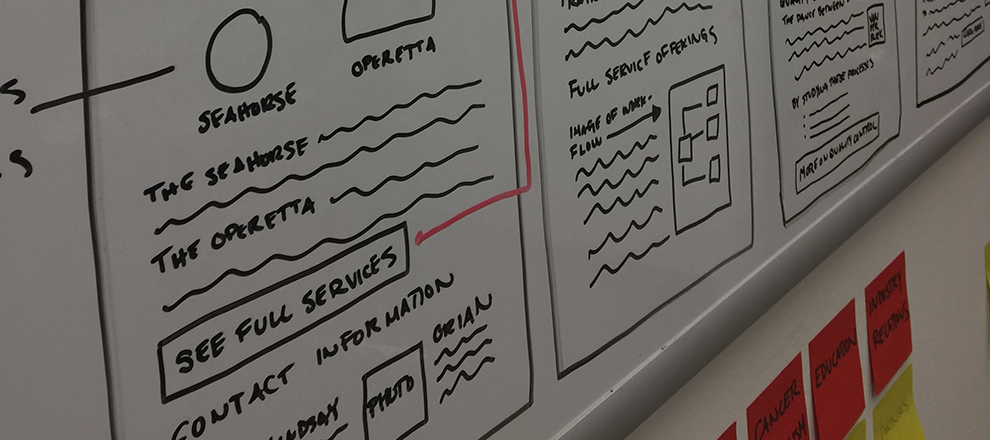
When approaching a problem, I always start with research.
I talk to people, listen to what they say, get the right people into a room, involve stakeholders early, and work my way up in fidelity.
Strategy & Research
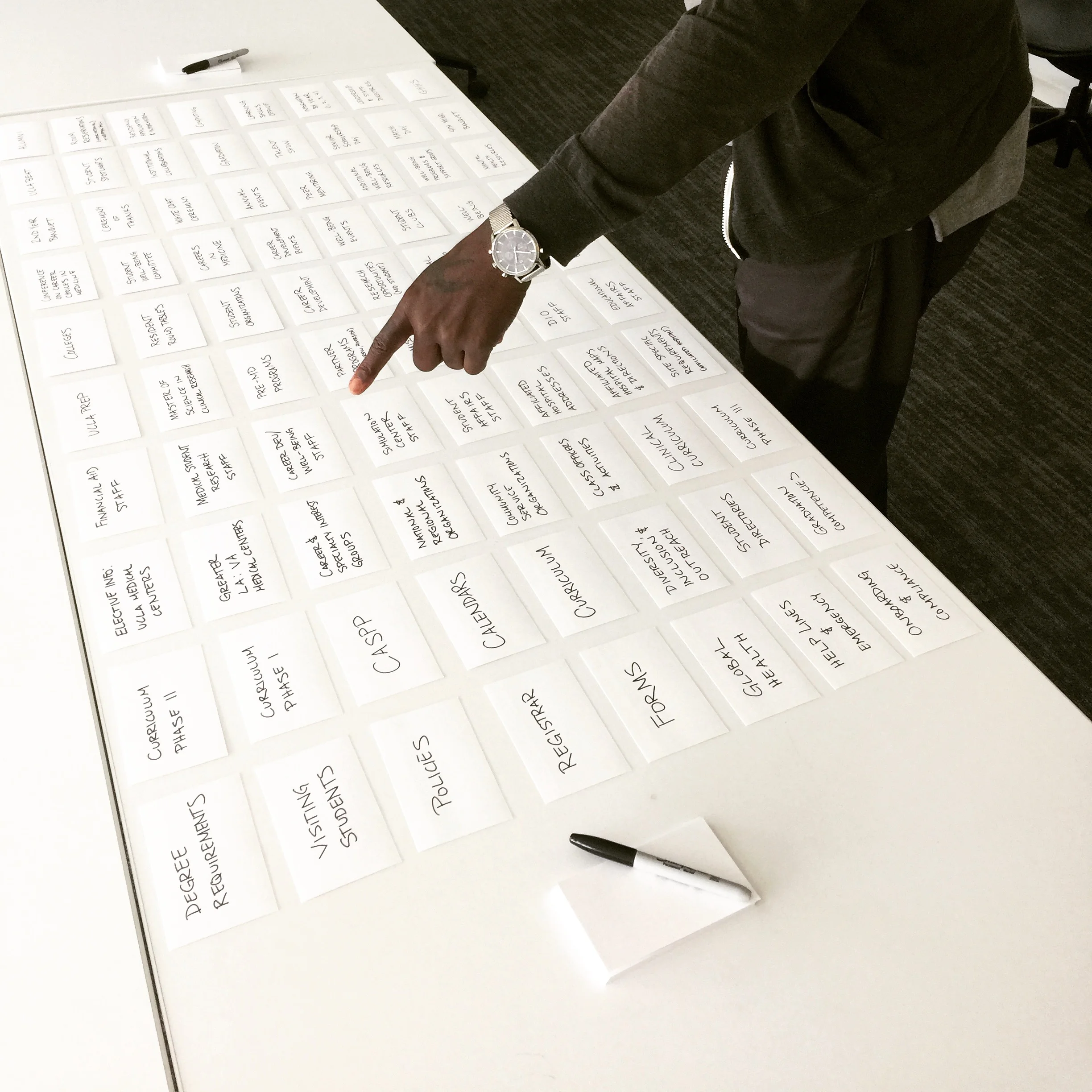
Every project starts with strategy and research. Knowing who the user is and catering to their needs makes all the sense in the world, otherwise what are we doing. I love pulling team resources into a room for brainstorming, whiteboarding it out, and using all the post-its. The good stuff happens by pushing the boundaries of an idea out to it's craziest and biggest form. Once you have some of that going you can purposefully take things away to get at the very best part of a strategy.
Tools Used:
Whiteboards, sketchpads, post-its, card sorting, user interviews, focus groups, user testing, brainstorming, hi-lighters, all the lists, collaboration, communication, and an open mind.
Wireframes
Transforming an initial strategy into a concept that the client adores takes thoughtful consideration, enchanting surprises, and effective preparation. My personal favorite UX tool? Wireframes. They give you a chance to take all of the strategy and research that you have put into something and visually depict it to the client, your team, the organization, or even just yourself. Whether on a whiteboard, an app, or plain old paper and pen, this is an essential and evolving part of the process of iterating through experience concepts.
Tool Used: Paper 53
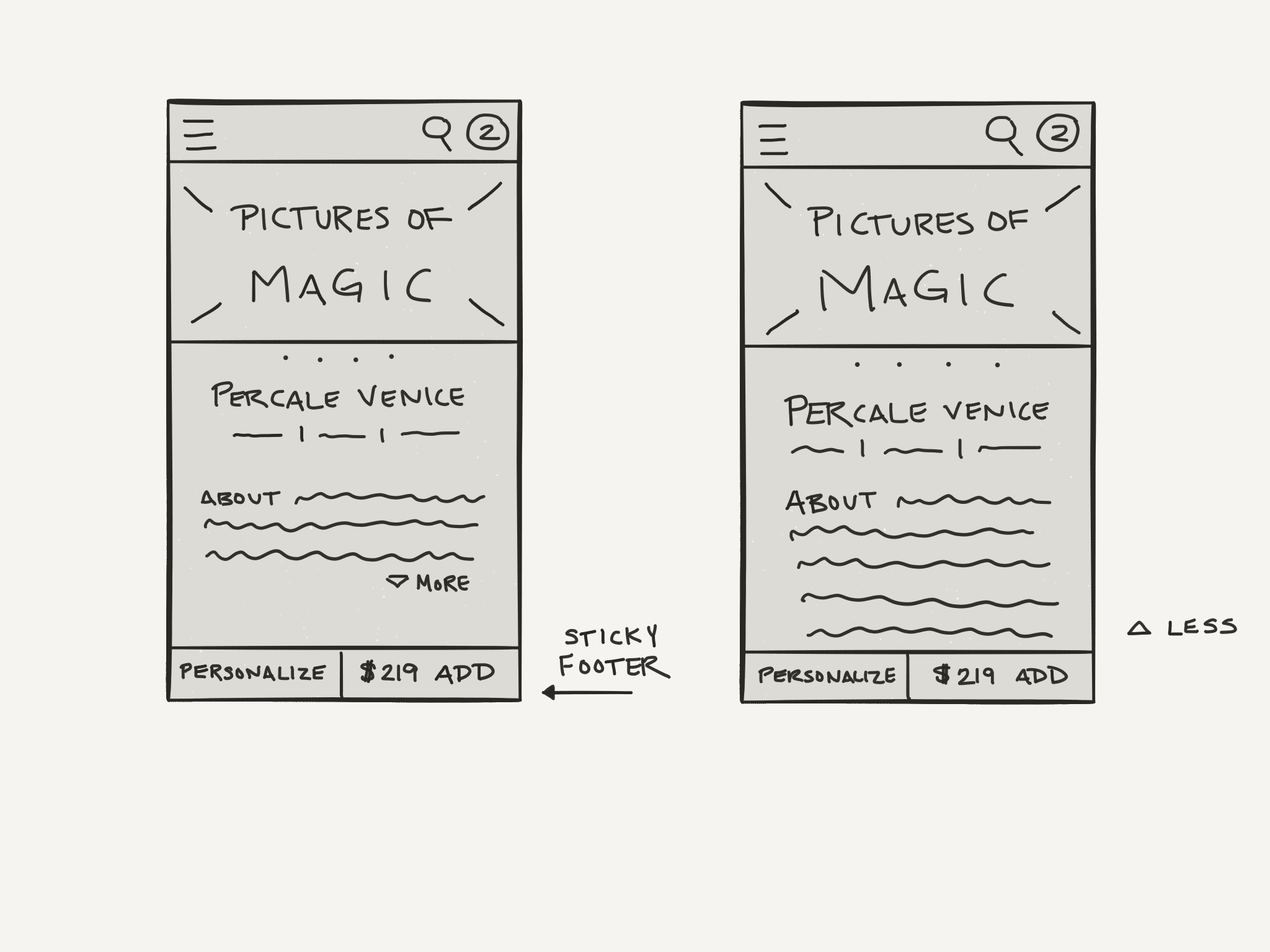
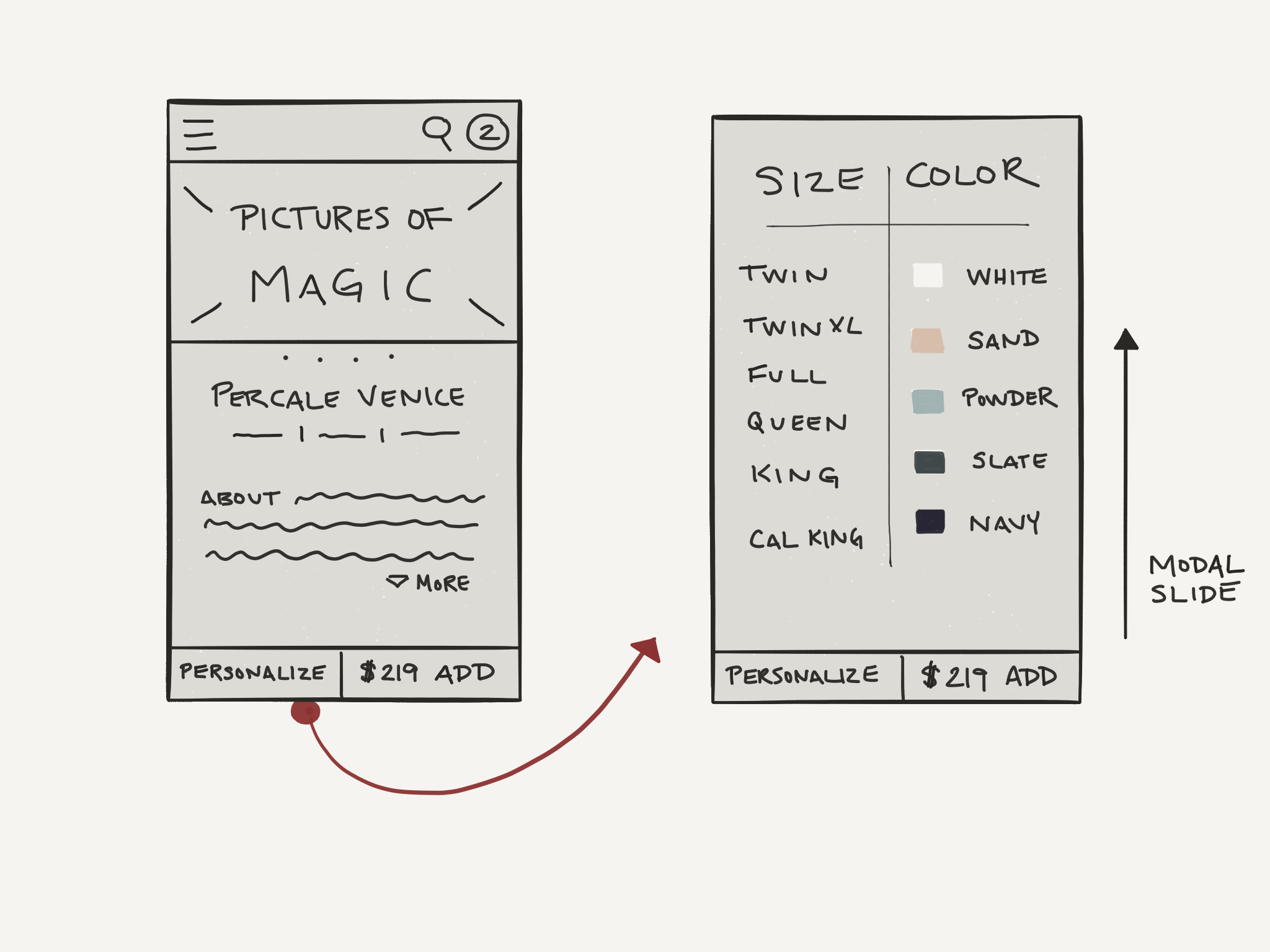
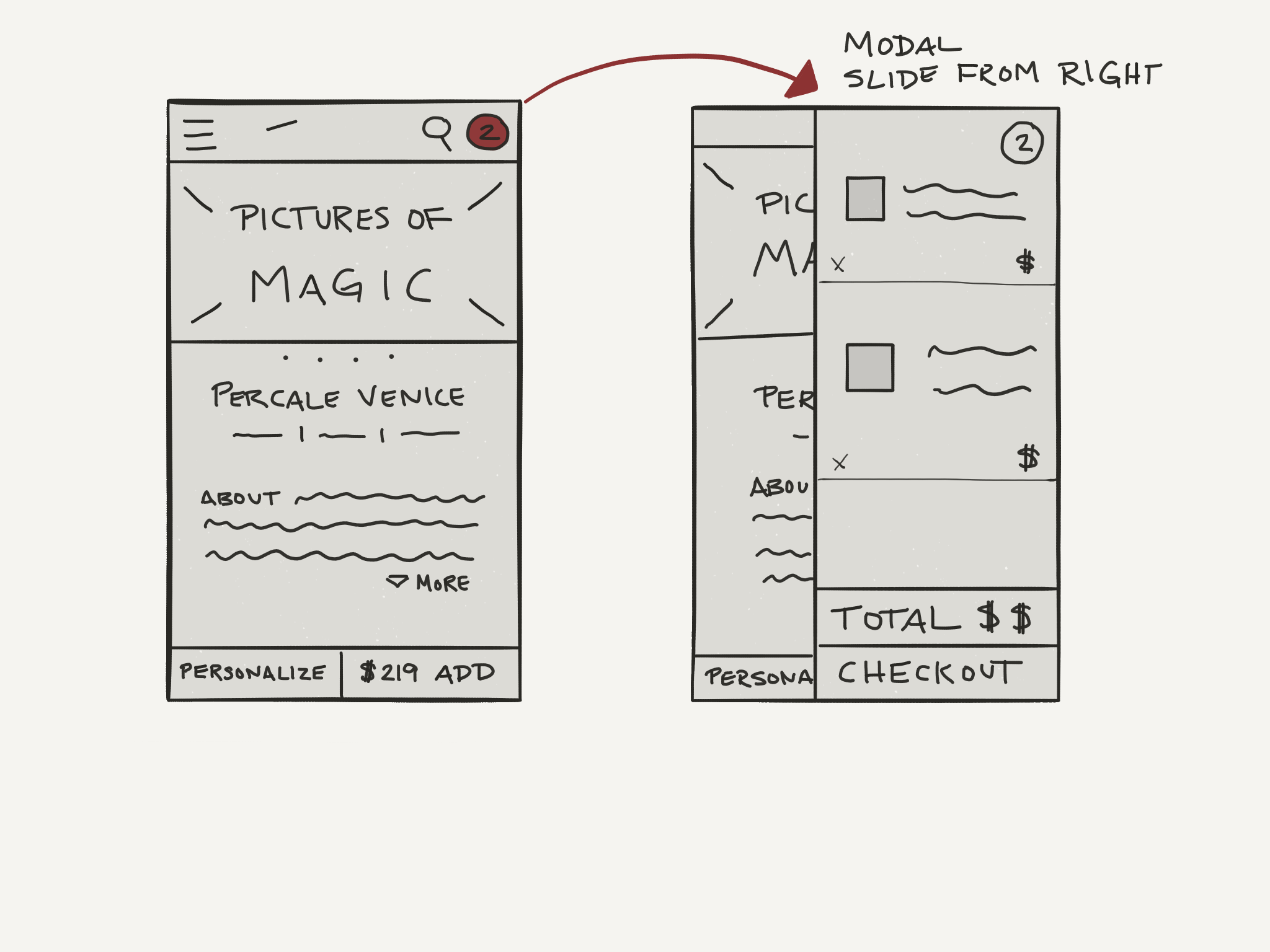
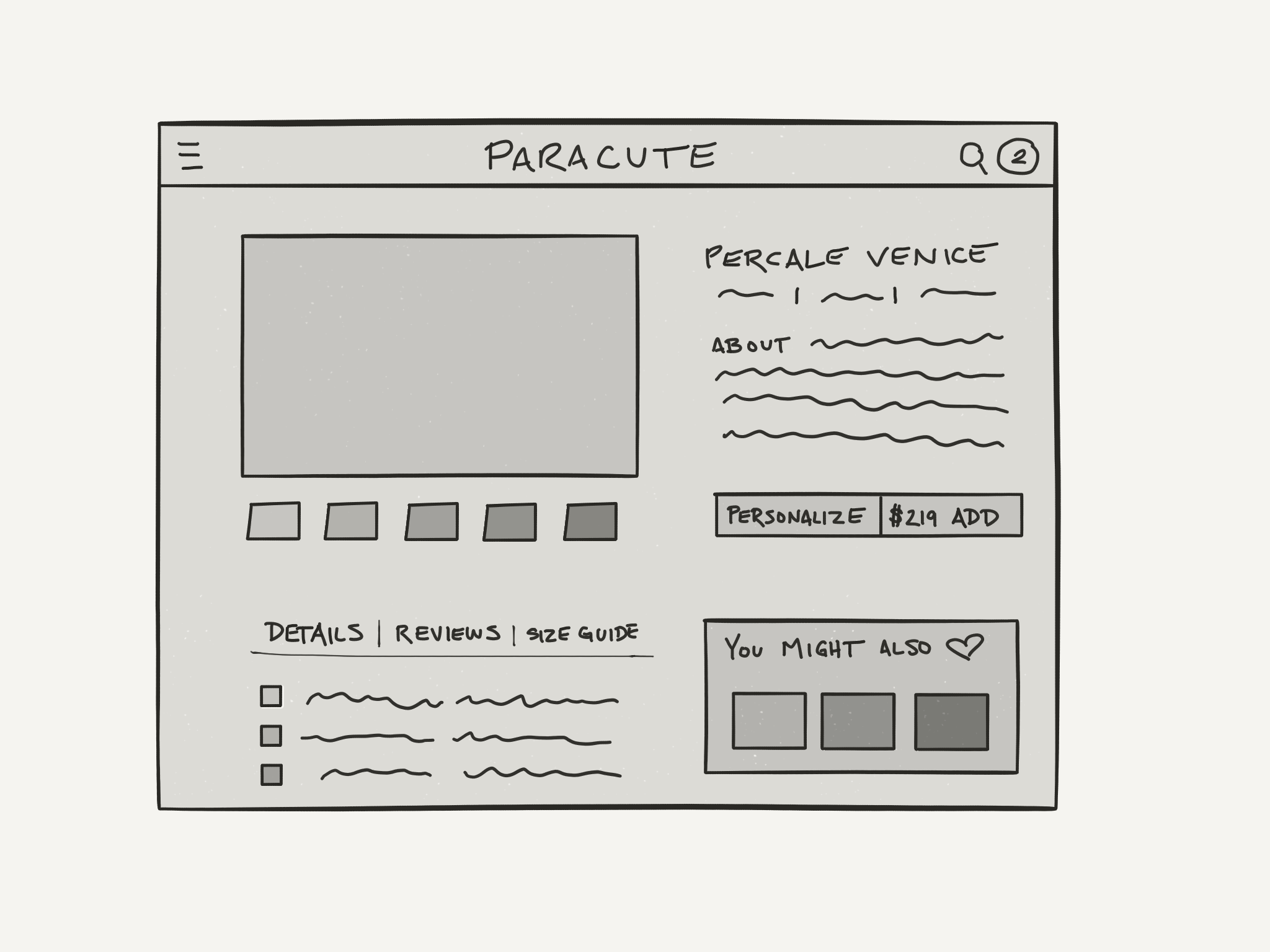
Thinking above the fold - working through the question of how you would present a product page for an eCommerce site; what's above the scroll, below, translate to desktop etc.
Assumptions:
The user needs to find a couple of key elements when shopping - price, photos of the product, ability to purchase.
The user wants to be shown why they will fall in love with the product they are seeing - the story around it.
Global: Cart/Bag, Search, Personalization, Price, Hidden Menu
Above the scroll: Photo of Product, Description summary, Light details
Below the scroll: Full details, Size guide, Reviews, Up-sells, Related items
Tool Used: Omnigraffle
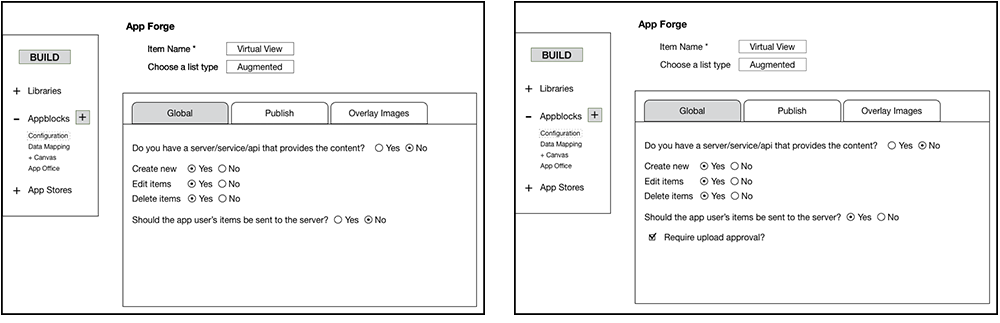
Working through basic configuration questions for an MBaaS platform's virtual photo booth feature.
Assumptions:
The user has an account and has logged in.
The app being built needs a virtual photo booth and the user has photos ready to load into the feature.
Based on the configuration set in these wireframes, the app builder could offer vastly different experiences to the user of the app they were building. I worked closely with the development team and a UX engineer to iterate through differing options.
Prototypes
Effectively presenting prototypes can truly delight. It gives your stakeholders a chance to interactively navigate through your wireframes. The intended effect being similar to the final experience. There are many tools that I like to use, but my favorite right now is Invision.
Prototype for Sheraton Concierge - Meant to accompany the on-site concierge team
Prototype for Emergency Reporting - Internal to Guam International Airport